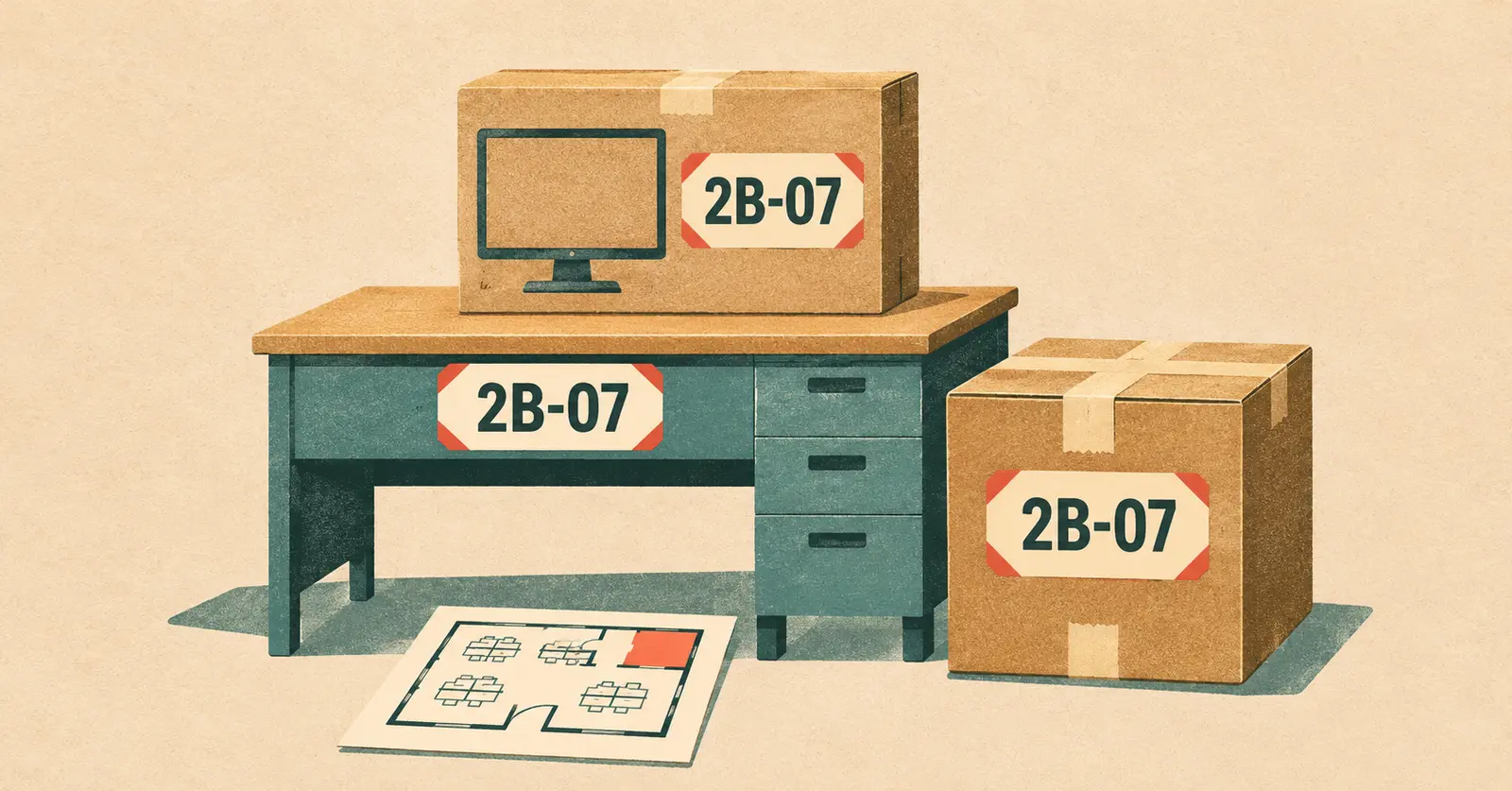
Give every workstation a short destination code. Write it on the new floor plan and on each piece that belongs there, including the desk, packed monitor and accessories box. Then put the same code where the desk will stand. A mover arriving with just one carton should be able to place it without finding the employee who packed it.
Start with the floor plan for the new office
Imagine moving from Sorrento Valley to a two-floor office in UTC. At the old office, everyone knows where Maya sits. At the new office, “Maya’s desk” tells the crew very little. On a copy of the new floor plan, mark the seventh workstation in floor 2, zone B as 2B-07. Print that code large enough to read from the aisle. Use it even if the seating assignment changes hands before moving day.
For a smaller suite, a room number and a seat number are enough. If two buildings both have a Room 210, add a building letter to every label. Give shared destinations their own names, such as MAILROOM. A mailroom printer and its paper supply should land together even though neither belongs to an employee.
One workstation, four labels
Here is how the same destination can carry different placement instructions. This example assumes the monitor has been disconnected by IT and packed for the move.
- 2B-07 · Desk · Position on plan. Put a tag on the protective wrap or use a finish-safe tie-on tag. If the desk travels in sections, mark each section and its hardware bag with the same code.
- 2B-07 · Monitor 1 of 1 · IT to unpack. Label the outside of the protective carton. Keep adhesive off the screen. If someone is bringing a second monitor, mark the cartons “1 of 2” and “2 of 2.”
- 2B-07 · Carton 1 of 2 · Open first. Pack the keyboard, mouse and dock together if your IT team approves. Label the top and one side so the code is legible when cartons are stacked.
- 2B-07 · Carton 2 of 2 · Desk supplies. This carton can wait while the workstation is set up. Keep the count specific to cartons so nobody goes looking for four boxes when the other pieces are a desk and a monitor.
Office move label template
Copy this block onto a sheet or adhesive label. Print one per piece. Write the destination code in the largest type. If departments use colors, include the written code too so a black-and-white copy of the floor plan still works.
DESTINATION __________________
Building / floor / room __________________
Item or general contents __________________
Piece ____ of ____ in this set
Placement or unpacking instruction __________________
For shared files, use a neutral carton ID and keep the detailed contents list with the authorized records contact. For equipment staying behind, use a separate “STAYS HERE” sign and show the crew lead those pieces during the walkthrough.
Test the labels before the first carton leaves
Hand one labeled carton and the floor plan to someone who didn’t help make the seating chart. Ask them to point to the exact spot and tell you who opens it. If they can only narrow it down to a department, add the desk or room identifier now. Put a matching temporary sign at each destination with the building manager’s permission.
Give the crew lead and the person receiving items the same dated plan. If a workstation changes floors after loading, mark the old code and the new location on both copies and tell both leads. At delivery, check the desk, monitor carton and two desk cartons against the example list. A missing dock is much easier to trace to “2B-07, carton 1 of 2” than to a stack marked “Office.”
Share the plan with your office movers
For a San Diego office move, count the workstations, flag shared equipment and tell the mover who will pack and reconnect electronics. Vector’s commercial and office moving services in San Diego page explains how inventory, building access and placement affect the plan. When you request an office moving quote, include both addresses, the workstation count and any reserved dock or elevator window.